How does LPE work in windows?
How to use windbg to change process token
Introduction
In linux, the target of LPE (Local Privilege Escalation) is usually commit_creds and prepare_kernel_cred functions.
In Windows, the target is usually the Token field of the EPROCESS structure.
In this article, we will see how to use windbg to change the Token field using Windows Debugger (windbg).
Prerequisites
- Make windows VM. (Prevents BSOD from happening on host machine)
- Setup debugging
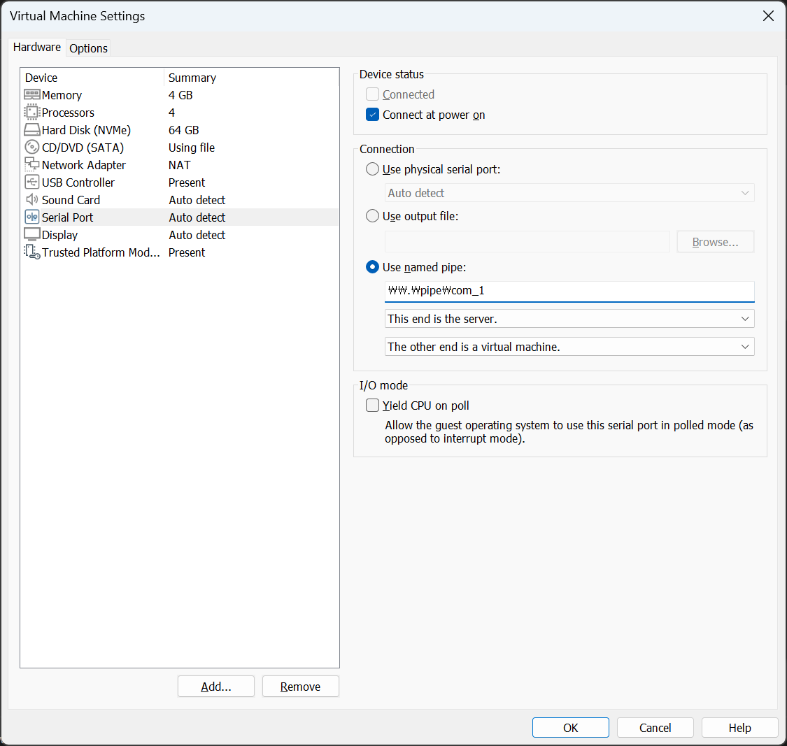
bcdedit /debug on,bcdedit /dbgsettings serial debugport:1 baudrate:115200from vm.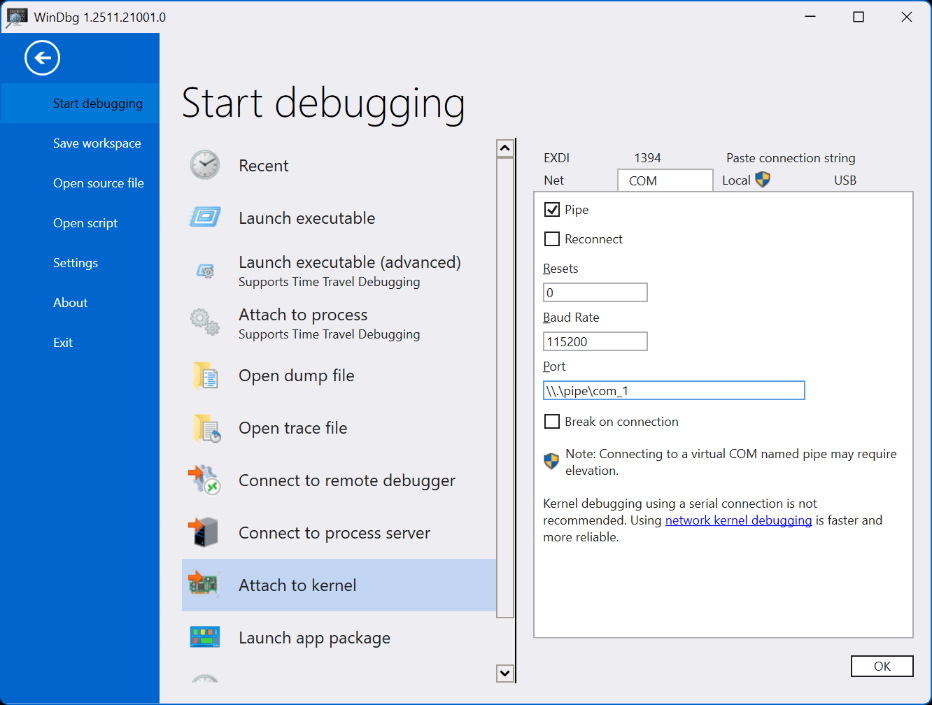
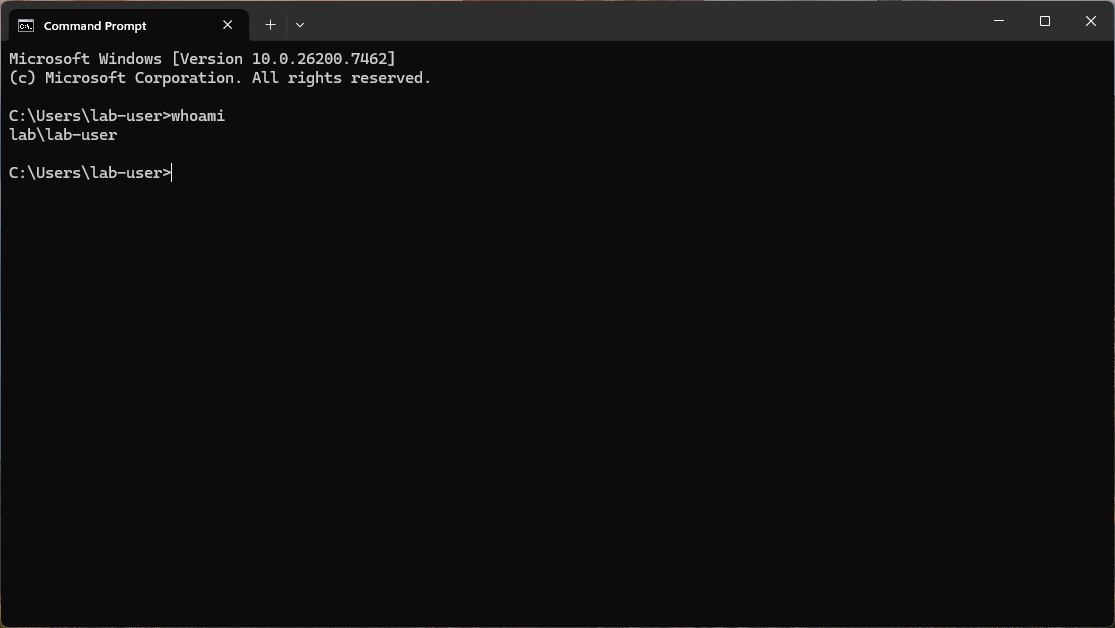
- In the vm machine, open a cmd which will be used to test LPE.
LPE in windows
Overview
Windows controls access to system resources using tokens. Each process has a pointer to a token that defines the security and privileges of that process. For example, a process running with administrative privileges will have a token that grants it access to system resources that a regular user process would not have.
There is also a special process called System which has the highest privileges in the system, i.e. the OS itself.
The target of LPE in windows is to change the Token of attacker’s process to the Token of System process.
Changing Token using windbg
Let’s actually try to escalate privileges of our cmd process to System using windbg.
I have prepared a vm with debugging enabled and a cmd process running as a regular user.
First, we need to find the EPROCESS structure of both System process and our cmd.exe process.
To list all processes, we can use the !process command.
1
2
0: kd> !process 0 0
// a lot of output
But this will print a lot of output, we’ll explicitly look for the processes we need.
As stated earlier, we need to find the System process and the cmd.exe process.
Usually, System process has PID 4, and for cmd.exe, we can find it by looking for the name.
1
2
3
4
5
6
7
8
9
10
11
12
13
14
15
16
17
18
0: kd> !process 4 0
Searching for Process with Cid == 4
PROCESS ffffc80ece6b0040
    SessionId: none  Cid: 0004    Peb: 00000000  ParentCid: 0000
    DirBase: 001ae000  ObjectTable: ffffd900ad2b2e00  HandleCount: 3014.
    Image: System

0: kd> !process 0 0 System
PROCESS ffffc80ece6b0040
    SessionId: none  Cid: 0004    Peb: 00000000  ParentCid: 0000
    DirBase: 001ae000  ObjectTable: ffffd900ad2b2e00  HandleCount: 3014.
    Image: System

0: kd> !process 0 0 cmd.exe
PROCESS ffffc80ed400b080
    SessionId: none  Cid: 23ec    Peb: b5f1108000  ParentCid: 12b8
    DirBase: 9d48c000  ObjectTable: ffffd900b792f500  HandleCount:  79.
    Image: cmd.exe
From the above output, we can see that the System process has the address ffffc80ece6b0040 and cmd.exe has the address ffffc80ed400b080.
That means the EPROCESS struct is at these addresses.
EPROCESS struct is referenced as
nt!_EPROCESS.
Next, we need to find the Token field in the EPROCESS struct.
We’ll have a look at System process first.
1
2
3
4
5
0: kd> dt nt!_EPROCESS ffffc80ece6b0040
// prints out the entire structure
...
0: kd>  dt nt!_EPROCESS ffffc80ece6b0040 Token
   +0x248 Token : _EX_FAST_REF
Here, _EX_FAST_REF is another structure that contains the actual token value.
By clicking on the Token field, we can see its value.
1
2
3
4
5
0: kd> dx -id 0,0,ffffc80ece6b0040 -r1 (*((ntkrnlmp!_EX_FAST_REF *)0xffffc80ece6b0288))
(*((ntkrnlmp!_EX_FAST_REF *)0xffffc80ece6b0288))                 [Type: _EX_FAST_REF]
    [+0x000] Object           : 0xffffd900ad27185a [Type: void *]
    [+0x000 ( 3: 0)] RefCnt           : 0xa [Type: unsigned __int64]
    [+0x000] Value            : 0xffffd900ad27185a [Type: unsigned __int64]
The _EX_FAST_REF structure holds the Token and also a reference count.
Effectively, the value holds the Token pointer | refcount.
To get the actual token pointer, we need to mask out the lower 4 bits. ([+0x000 ( 3: 0)] RefCnt implies that)
We can do this by performing a bitwise AND operation with 0xfffffffffffffff0.
1
2
0: kd> ? 0xffffd900ad27185a & 0xfffffffffffffff0
Evaluate expression: -42878048462760 = ffffd900`ad271850
The ffffd900ad271850 is the pointer to the Token of System process.
We can check that by dereferencing the pointer to nt!_TOKEN structure. Or we could use !token command.
1
2
3
4
5
6
7
8
9
10
11
12
13
14
15
16
17
18
19
20
21
22
23
24
25
26
27
28
29
30
31
32
33
34
35
36
37
38
39
40
41
42
43
44
45
46
47
48
49
50
51
52
53
54
55
56
57
58
59
60
61
0: kd> !token ffffd900ad271850
_TOKEN 0xffffd900ad271850
TS Session ID: 0
User: S-1-5-18
User Groups:
 00 S-1-5-32-544
    Attributes - Default Enabled Owner
 01 S-1-1-0
    Attributes - Mandatory Default Enabled
 02 S-1-5-11
    Attributes - Mandatory Default Enabled
 03 S-1-16-16384
    Attributes - GroupIntegrity GroupIntegrityEnabled
Primary Group: S-1-5-18
Privs:
 02 0x000000002 SeCreateTokenPrivilege            Attributes -
 03 0x000000003 SeAssignPrimaryTokenPrivilege     Attributes -
 04 0x000000004 SeLockMemoryPrivilege             Attributes - Enabled Default
 05 0x000000005 SeIncreaseQuotaPrivilege          Attributes -
 07 0x000000007 SeTcbPrivilege                    Attributes - Enabled Default
 08 0x000000008 SeSecurityPrivilege               Attributes -
 09 0x000000009 SeTakeOwnershipPrivilege          Attributes -
 10 0x00000000a SeLoadDriverPrivilege             Attributes -
 11 0x00000000b SeSystemProfilePrivilege          Attributes - Enabled Default
 12 0x00000000c SeSystemtimePrivilege             Attributes -
 13 0x00000000d SeProfileSingleProcessPrivilege   Attributes - Enabled Default
 14 0x00000000e SeIncreaseBasePriorityPrivilege   Attributes - Enabled Default
 15 0x00000000f SeCreatePagefilePrivilege         Attributes - Enabled Default
 16 0x000000010 SeCreatePermanentPrivilege        Attributes - Enabled Default
 17 0x000000011 SeBackupPrivilege                 Attributes -
 18 0x000000012 SeRestorePrivilege                Attributes -
 19 0x000000013 SeShutdownPrivilege               Attributes -
 20 0x000000014 SeDebugPrivilege                  Attributes - Enabled Default
 21 0x000000015 SeAuditPrivilege                  Attributes - Enabled Default
 22 0x000000016 SeSystemEnvironmentPrivilege      Attributes -
 23 0x000000017 SeChangeNotifyPrivilege           Attributes - Enabled Default
 25 0x000000019 SeUndockPrivilege                 Attributes -
 28 0x00000001c SeManageVolumePrivilege           Attributes -
 29 0x00000001d SeImpersonatePrivilege            Attributes - Enabled Default
 30 0x00000001e SeCreateGlobalPrivilege           Attributes - Enabled Default
 31 0x00000001f SeTrustedCredManAccessPrivilege   Attributes -
 32 0x000000020 SeRelabelPrivilege                Attributes -
 33 0x000000021 SeIncreaseWorkingSetPrivilege     Attributes - Enabled Default
 34 0x000000022 SeTimeZonePrivilege               Attributes - Enabled Default
 35 0x000000023 SeCreateSymbolicLinkPrivilege     Attributes - Enabled Default
 36 0x000000024 SeDelegateSessionUserImpersonatePrivilege  Attributes - Enabled Default
Authentication ID:         (0,3e7)
Impersonation Level:       Anonymous
TokenType:                 Primary
Source: *SYSTEM*           TokenFlags: 0x2000 ( Token in use )
Token ID: 3eb              ParentToken ID: 0
Modified ID:               (0, 3ec)
RestrictedSidCount: 0      RestrictedSids: 0x0000000000000000
OriginatingLogonSession: 0
PackageSid: (null)
CapabilityCount: 0      Capabilities: 0x0000000000000000
LowboxNumberEntry: 0x0000000000000000
Security Attributes:
Invalid AUTHZBASEP_SECURITY_ATTRIBUTES_INFORMATION with no claims
Process Token TrustLevelSid: S-1-19-1024-8192
The above output shows that the token is indeed of System user.
User: S-1-5-18indicates that the token belongs toSystemuser.0x3e7is the well-known logon session ID forSystemuser.- …
Now that we have the token pointer of System process, let’s get the token pointer of our cmd.exe process.
1
2
3
4
5
6
7
0: kd> dt nt!_EPROCESS ffffc80ed400b080 Token
   +0x248 Token : _EX_FAST_REF
0: kd> dx -id 0,0,ffffc80ece6b0040 -r1 (*((ntkrnlmp!_EX_FAST_REF *)0xffffc80ed400b2c8))
(*((ntkrnlmp!_EX_FAST_REF *)0xffffc80ed400b2c8))                 [Type: _EX_FAST_REF]
    [+0x000] Object           : 0xffffd900b73407c5 [Type: void *]
    [+0x000 ( 3: 0)] RefCnt           : 0x5 [Type: unsigned __int64]
    [+0x000] Value            : 0xffffd900b73407c5 [Type: unsigned __int64]
Now, we will replace the Token of cmd.exe with the Token of System process.
1
2
3
4
5
6
7
8
9
10
0: kd> ? 0xffffd900ad271850 | 0x5
Evaluate expression: -42878048462763 = ffffd900`ad271855

0: kd> eq 0xffffc80ed400b2c8 ffffd900ad271855

0: kd> dx -id 0,0,ffffc80ece6b0040 -r1 (*((ntkrnlmp!_EX_FAST_REF *)0xffffc80ed400b2c8))
(*((ntkrnlmp!_EX_FAST_REF *)0xffffc80ed400b2c8))                 [Type: _EX_FAST_REF]
    [+0x000] Object           : 0xffffd900ad271855 [Type: void *]
    [+0x000 ( 3: 0)] RefCnt           : 0x5 [Type: unsigned __int64]
    [+0x000] Value            : 0xffffd900ad271855 [Type: unsigned __int64]
Let’s verify that the token has been changed successfully.
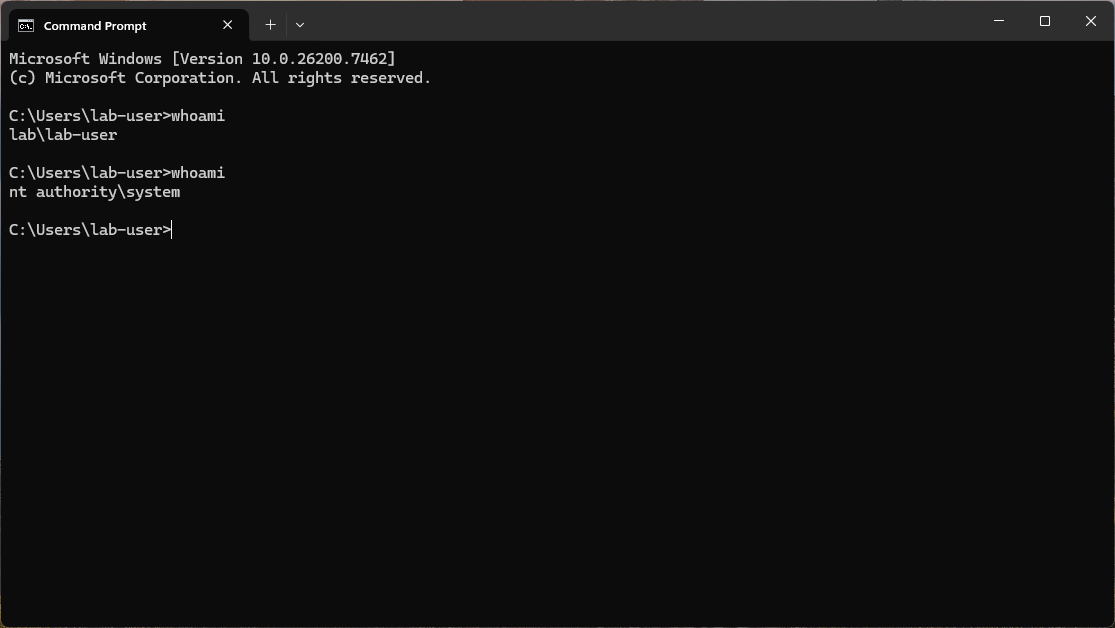
We can see that whoami now shows nt authority\system, indicating that our cmd.exe process is now running with System privileges.